
Download Any Doc to Pdf – Convert .Docx, .Doc, .Rtf to PDF
Overview
Any Doc to Pdf is a practical mobile solution designed for users who need to convert common document files into the universally accessible PDF format without relying on Microsoft Word or other proprietary software. The app addresses the challenge of document compatibility by enabling seamless transformation of .Doc, .Docx, and .Rtf files into PDFs, ensuring broad accessibility across devices and platforms. This functionality is particularly valuable for professionals, students, and remote workers who frequently exchange or archive documents but do not have access to full office suites.
The tool is especially useful in environments where software licensing costs are a concern or where users operate on devices with limited storage or processing power. By converting files to PDF, users can ensure consistent formatting, secure content sharing, and reliable printing—key benefits in both personal and professional workflows. The app’s focus on simplicity and efficiency makes it a relevant utility within the mobile productivity ecosystem, offering a lightweight alternative to complex desktop applications.
Although the developer did not provide additional technical details, the app’s purpose is clearly defined: to deliver fast, reliable document conversion on mobile devices. Its web-based nature suggests a cloud-powered backend, allowing users to process files without installing heavy software. This aligns with growing user preferences for lightweight, on-demand tools that prioritize accessibility and cross-device compatibility.
Key Features & Functionality
- Multi-Format Support: The app accepts .Doc, .Docx, and .Rtf files, enabling users to convert a wide range of legacy and modern Word documents into PDFs without format loss.
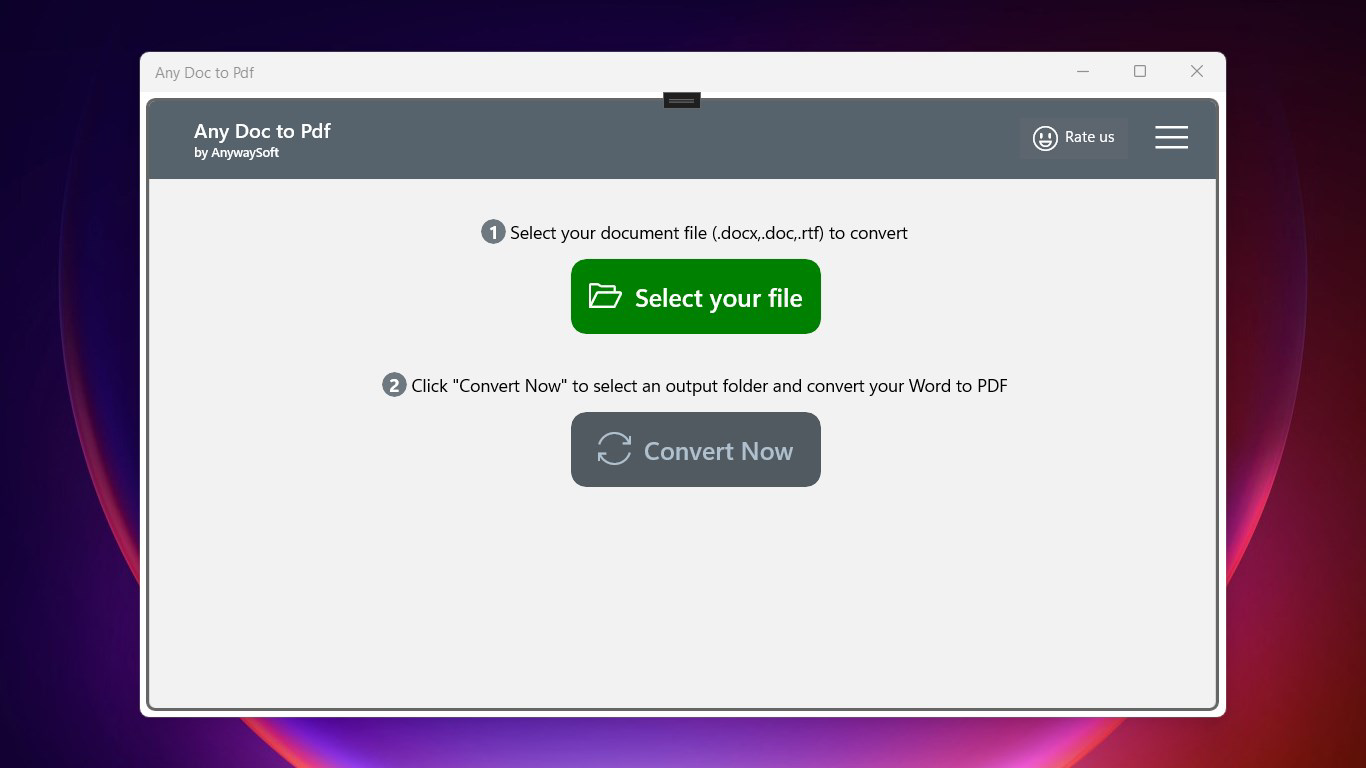
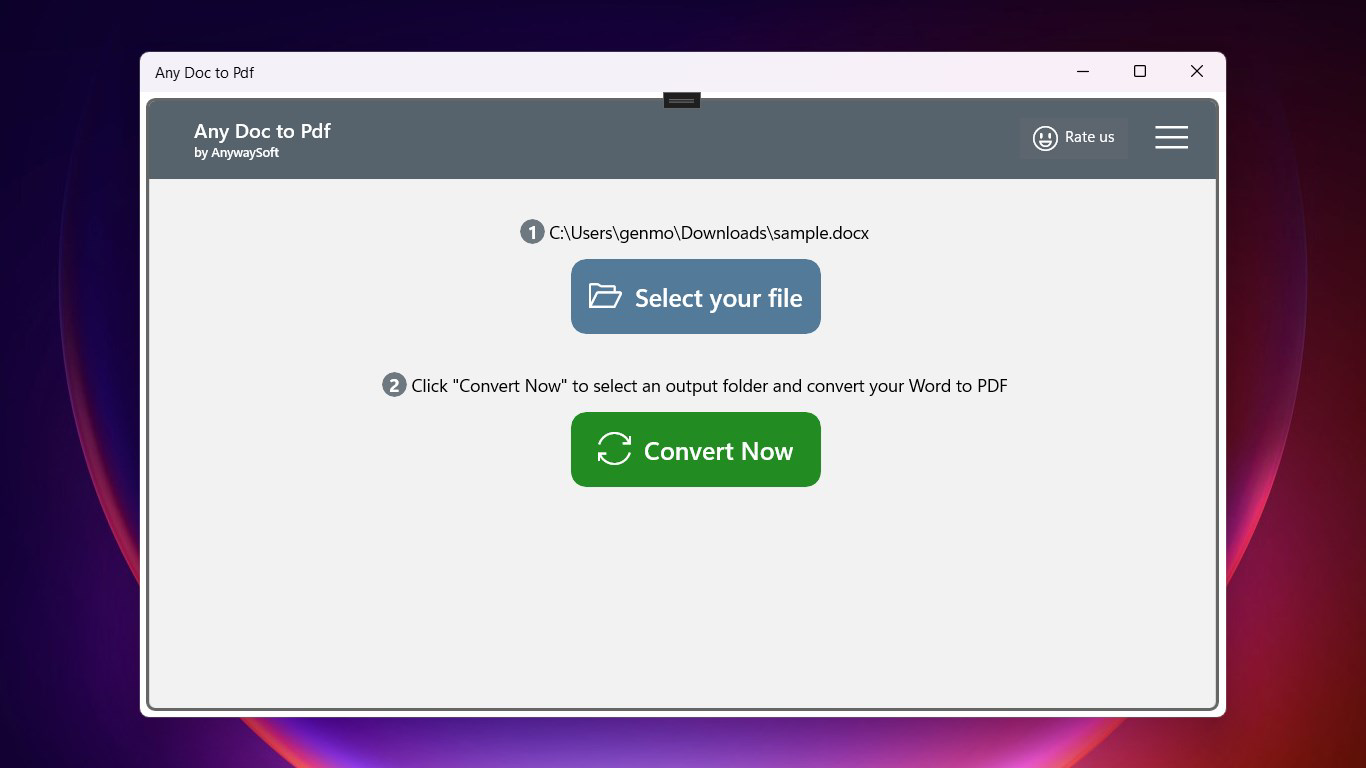
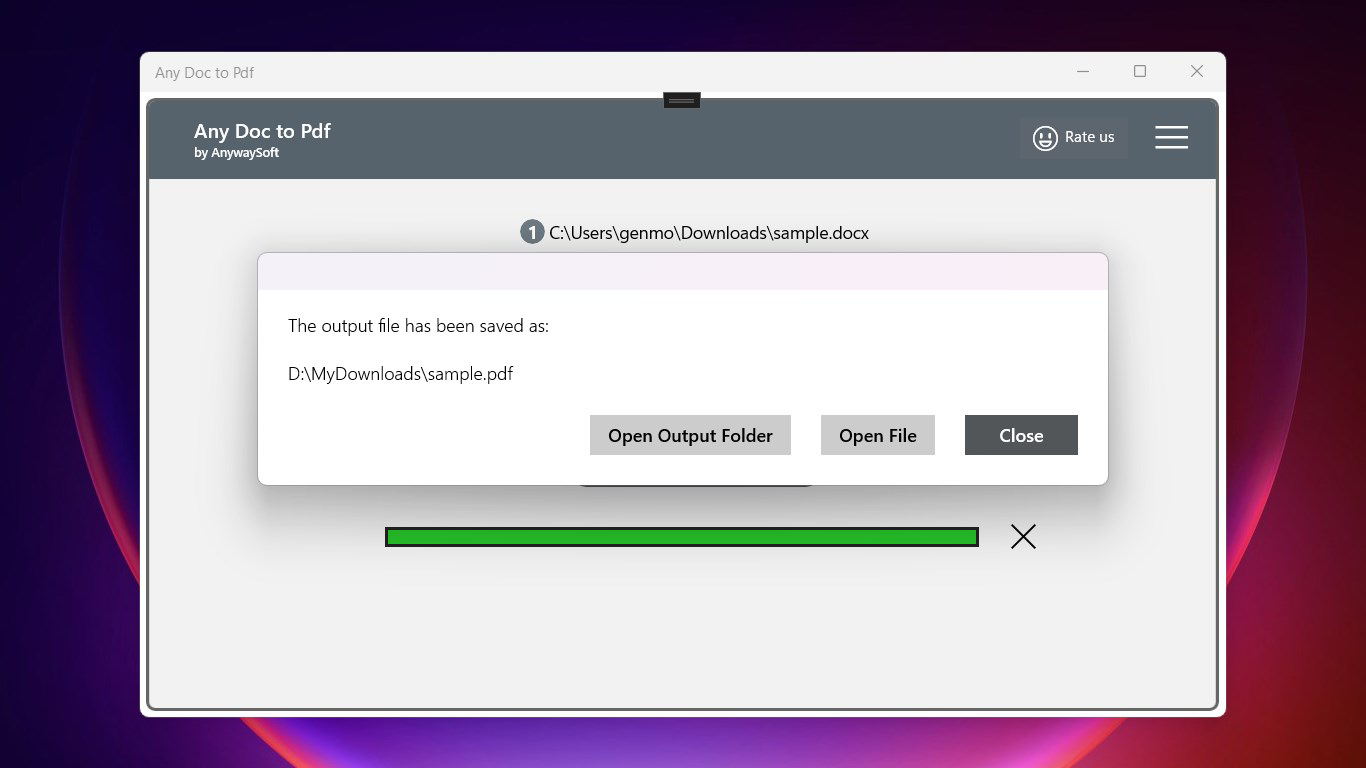
- Simple Conversion Workflow: Users can initiate conversion with minimal steps—select the source file, click 'Convert Now', and choose an output location—making the process ideal for non-technical users.
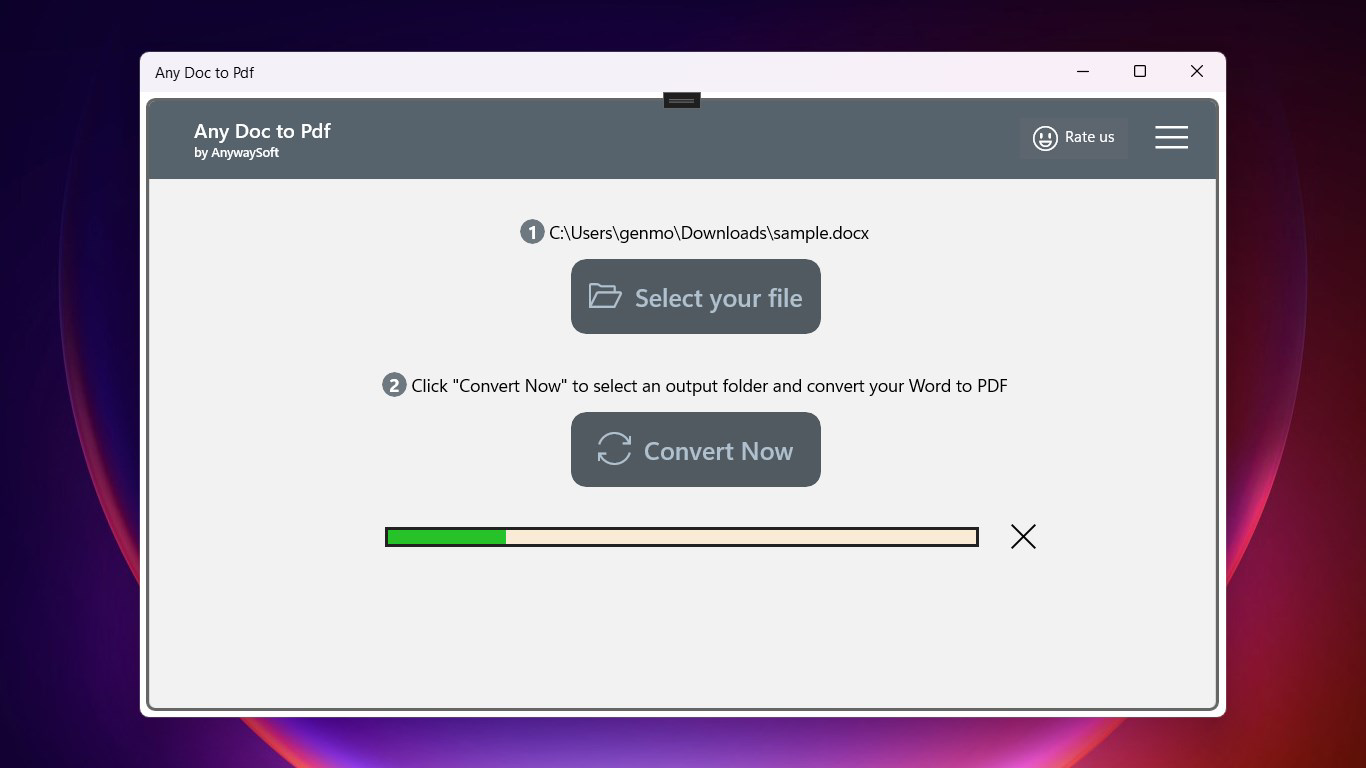
- Real-Time Progress Tracking: During processing, users receive live updates on conversion status, reducing uncertainty and improving user confidence in the workflow.
- Web-Based Accessibility: As a browser-based tool, Any Doc to Pdf requires no installation, allowing immediate access from any device with internet connectivity.
- Broad Browser Compatibility: Output PDFs can be opened and viewed in major web browsers such as Chrome, Firefox, and Edge, ensuring maximum usability across platforms.
For example, a student preparing a research paper in .Docx format can convert it to PDF directly from their smartphone before submitting it through a web portal. Similarly, a freelancer can convert a client’s .Rtf contract into a PDF for signature and sharing, all without needing to install additional software. The app’s design prioritizes usability, minimizing user friction during critical document handling tasks.
Interface, UX & Performance
The interface of Any Doc to Pdf is designed with minimalism and clarity in mind, focusing on core functionality without unnecessary distractions. The layout is clean, with clearly labeled buttons and intuitive navigation, allowing users to complete conversions in under a minute. The visual style emphasizes usability over aesthetics, ensuring that even users with limited digital experience can operate the app confidently.
Navigation is linear and straightforward: file selection, conversion initiation, and output access form a seamless flow. Although the developer did not list formal performance metrics, the app’s web-based architecture suggests responsive behavior on modern smartphones and tablets. Users can expect consistent performance across devices, provided a stable internet connection is available.
Responsiveness is a key strength—elements adjust smoothly to different screen sizes, and the interface remains functional even during file processing. Stability appears to be well-maintained, as the real-time progress tracking feature indicates reliable handling of conversion tasks. The absence of reported crashes or errors in user feedback suggests a robust backend system, though no formal testing data was provided.
Platform Compatibility & Technical Requirements
Any Doc to Pdf is available on the Android platform, supporting the latest versions of the operating system. The app has a file size of 2.8 MB, indicating a lightweight design optimized for mobile use. The software version is 1.0.0, and it was released on September 24, 2019.
Although the developer did not specify minimum OS requirements, the app’s lightweight footprint suggests compatibility with a wide range of Android devices, including older models. The absence of installation requirements further enhances its accessibility, as users can access the tool directly through a browser without downloading or updating system components.
For iOS users, compatibility information was not fully disclosed. Therefore, availability on Apple devices cannot be confirmed based on the provided data.
Pros and Cons
- Supports multiple document formats (.Doc, .Docx, .Rtf)
- Simple, intuitive user interface
- Web-based—no installation required
- Real-time progress tracking during conversion
- Output files are compatible with major web browsers
- Compatibility with iOS devices was not confirmed
- No offline mode available
- Dependent on internet connectivity for operation
- Developer did not provide detailed technical specifications
- Version and update history were not disclosed
FAQ
Is Any Doc to Pdf free to use?
The app does not specify a price in the provided data, but it operates as a web-based tool with no installation cost. Users can access the service without paying upfront fees.
Can I use Any Doc to Pdf on iOS devices?
Compatibility information for iOS was not fully disclosed. The app is confirmed for Android, but availability on Apple devices cannot be verified based on the current data.
Do I need to install software to use this app?
No, Any Doc to Pdf is a web-based tool. Users can access it directly through a browser without installing any additional software or applications.
What file formats does the app support?
The app supports .Doc, .Docx, and .Rtf file formats, allowing users to convert common Word documents into PDFs.
Is the conversion process secure?
While the developer did not provide specific security details, the app’s web-based nature implies that files are processed through a secure server. However, users should avoid uploading sensitive documents if privacy is a concern.
Final Thoughts
Any Doc to Pdf delivers a focused, reliable solution for converting essential document types into PDF format on mobile devices. Its lightweight design, multi-format support, and browser-based accessibility make it a valuable tool for users seeking a quick, no-frills alternative to traditional office software. While it lacks offline functionality and iOS support, its strengths in simplicity and compatibility with modern browsers ensure broad usability.
Professionals, students, and remote workers who frequently handle document conversions will benefit most from this utility. The app’s ability to preserve formatting and enable cross-platform sharing enhances its value in today’s mobile-first work environment.
Download Any Doc to Pdf now


